Turn Your TradingView TickersInto Sector Insight
Upload your TradingView watchlist
Supports .txt files exported from TradingView
Placeholder for consistent height
Upload images with tickers
PNG, JPEG, WebP, GIF (max 5MB) • 0/10 images
Placeholder for consistent height
How It Works
Export your TradingView watchlist
Upload watchlist to Alpha Rotation, get organized list and see statistics
Import organized list to TradingView and read charts with industry clarity
Frequently Asked Questions
How do I export my TradingView watchlist?
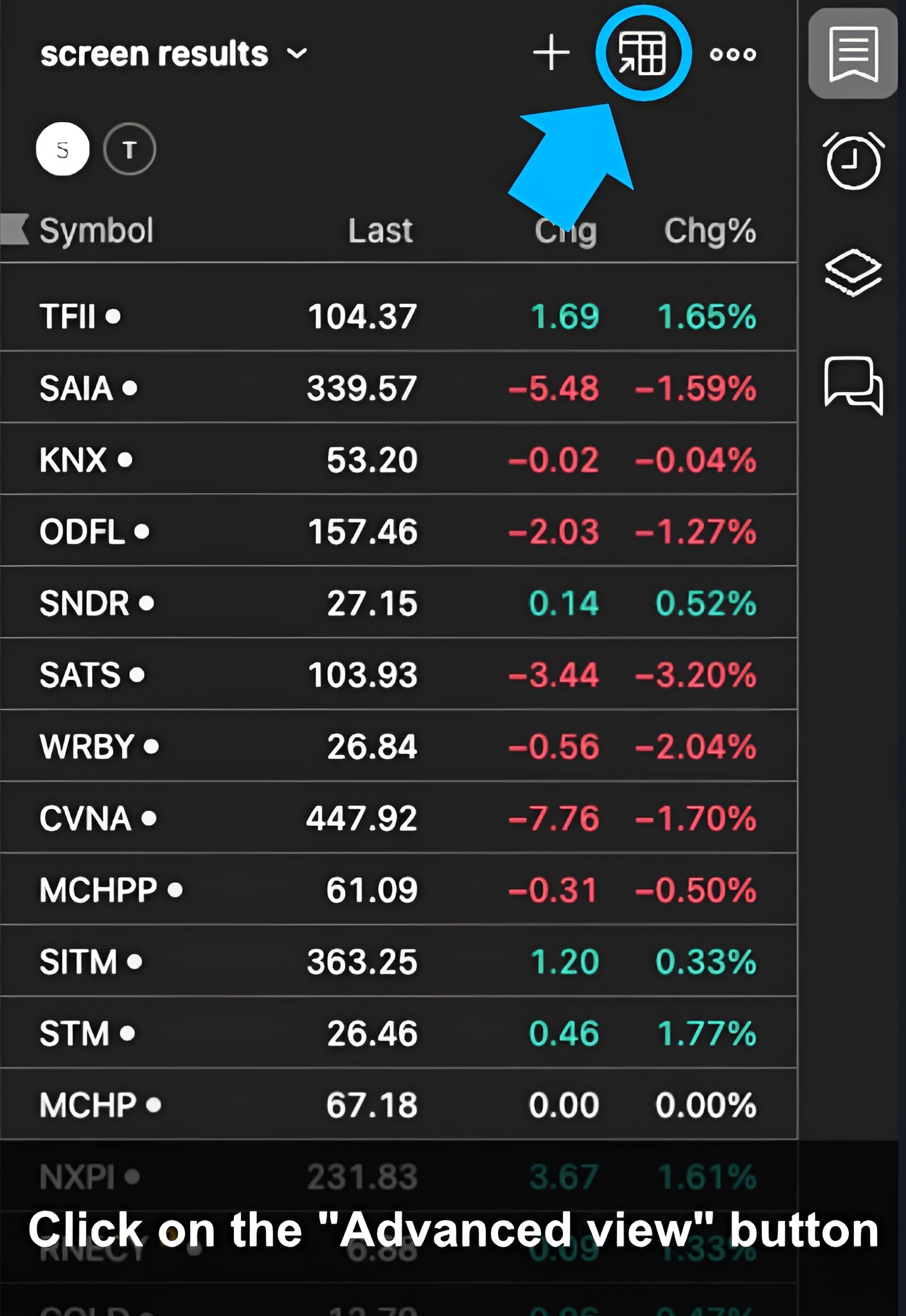
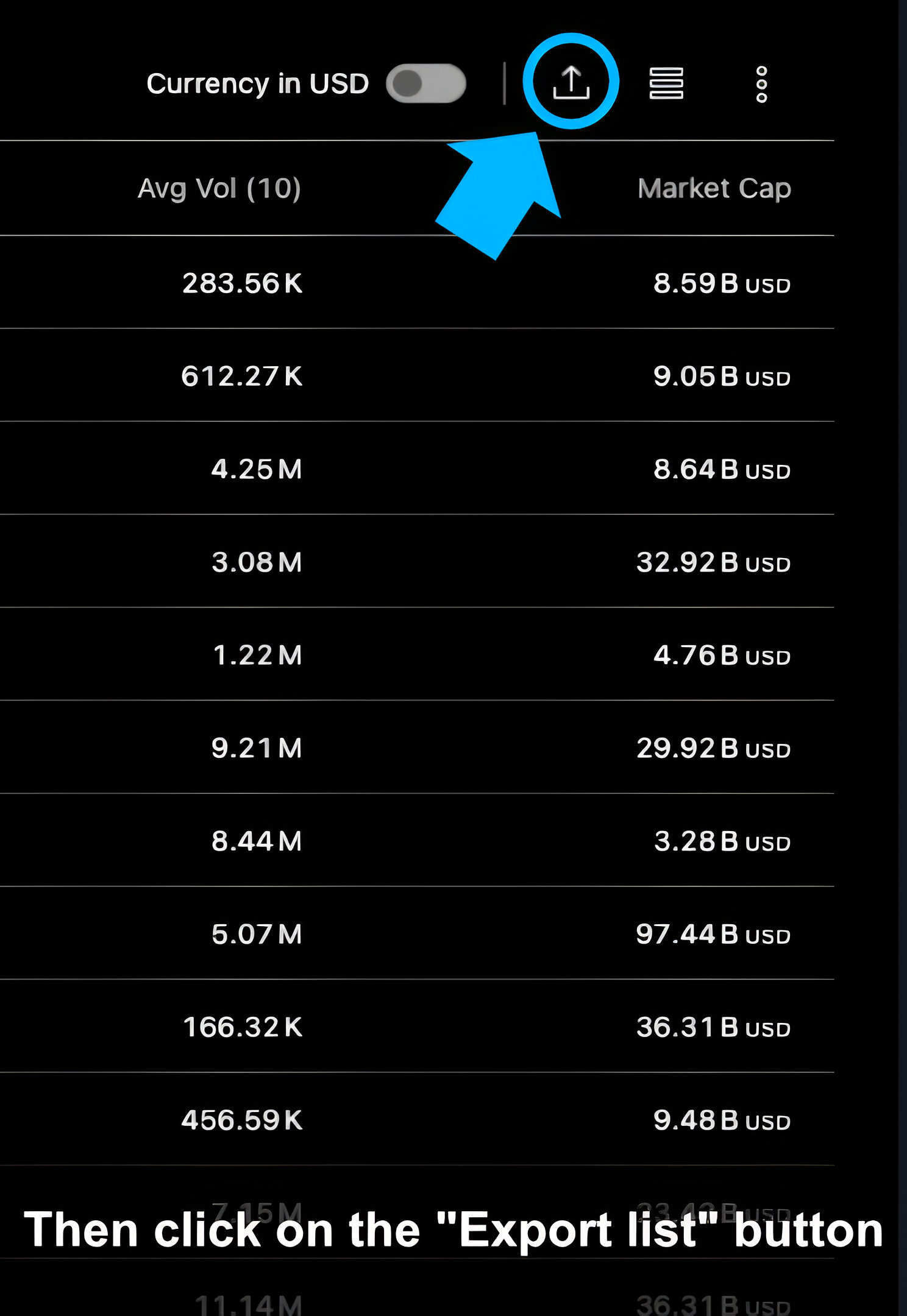
Open your watchlist in TradingView and then find the "Advanced view" button. In the dialog box, find the table with quotes and click the "Export list" button. Learn More
What file format is supported?
We support standard .txt files exported directly from TradingView watchlist.
What if my watchlist has already been partially grouped?
Don't worry! Only tickers without group will be managed. Your original groups remain intact.
What criteria do you use to group tickers?
We use S&P GSCI (Global Industry Classification Standard) to group tickers. Learn More